A tool for performers
A blank screen.
Then, somehow,
exactly the right card.
No app switch. No gimmick in sight. Just a finger, a screen, and a spectator who’s been watching the whole time.
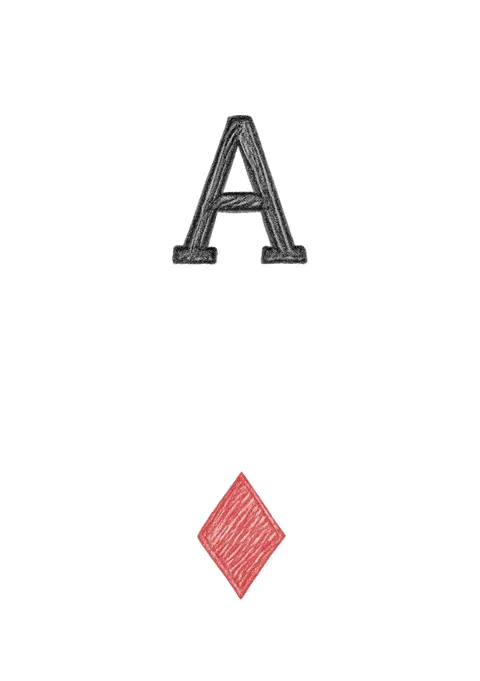
Four lines. That’s the whole move.
What is Card Sketch?
Card Sketch is a card reveal app for iPhone and iPad, built for close-up card magic. Your spectator has a card in mind. You open what looks like a plain drawing pad and doodle a small rectangle with one finger. As the fourth line closes the frame, their card fades in inside it.
Any of the 52 cards, chosen as you draw. No app switching, no menus, no hidden gestures, and nothing on screen a spectator shouldn’t see. It works fully offline with no account and no data collected. Pair it with any force, a peek, or a memorized deck, and it becomes the reveal for the card trick you already do.
Four ways in
One canvas, built for every part of the act.
Show
A bare canvas. No prompts, no guides, no tells — the only thing on screen is what you draw.
Practice
The same canvas with guides and hints switched on, walking you through the method while you learn.
Trainer
The app names a card, you draw it from memory, and it grades the attempt. Drill until it’s automatic.
Cheat Sheet
The complete reference on one screen, for study between shows.
Straight from the app
What they see. What you see.
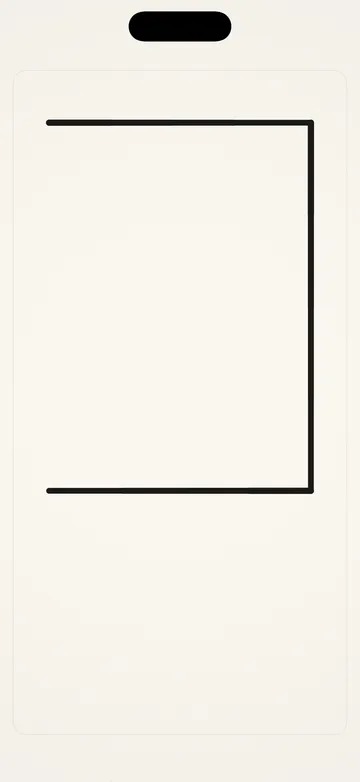
One line from done
Everything a spectator sees, right up to the last stroke: a rectangle taking shape on a drawing pad.
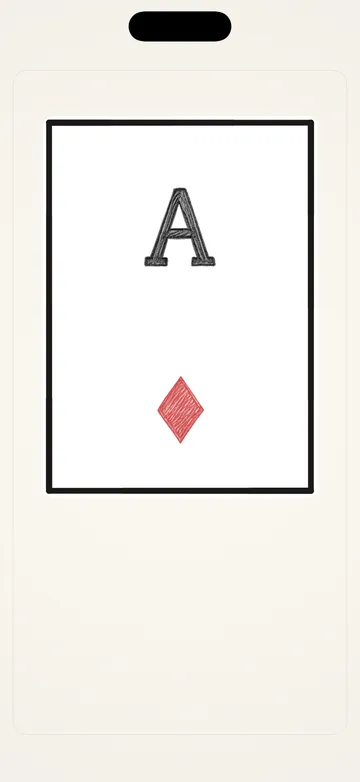
The reveal
The last line closes the frame and the card fades in — the exact card you meant.
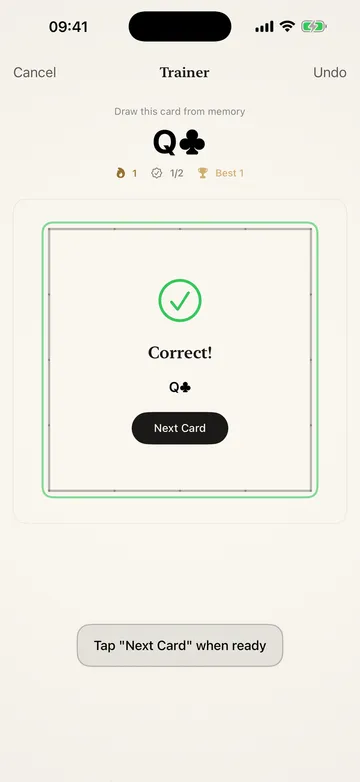
Rehearsal, built in
The app names a card, you draw it from memory, and it checks the attempt on the spot.
The method
A performance, not a puzzle.
You choose the card as you draw it. How? That’s the part you learn — and it never shows. Anyone watching sees a rectangle take shape on a drawing pad.
- 01
You sketch a card outline
Four casual lines on a blank screen, any size, anywhere. It looks like doodling.
- 02
The choice is already made
By the time the frame is closing, the card is decided. When and how that happened is the secret you carry.
- 03
The frame closes, the card appears
As the last line lands, your card fades in inside the frame. Every time.
It takes an evening to learn and about a week to make invisible. After that, it’s yours for good.
Built for performing
Details only a performer would ask for.
The whole deck
Any of the 52 cards, chosen on the fly as you draw. No preset list, no favorites-only.
Anywhere, any size
The frame works wherever you draw it, at any size, with any finger.
Haptic confirm
A silent tap confirms each edge, so you never look down to check.
Sound, or none
A soft card sound on the reveal — or complete silence. Your call.
Arm a card ahead
Set a card from a hidden control before you hand the phone over. It fires once, then clears itself.
Nothing to catch
Nothing ever appears on screen that a spectator shouldn’t see — no guides, no slips, no tells.
Questions
The things you’d want to know first.
Will my spectator see anything they shouldn’t?
No. Show mode is a bare canvas — no buttons, no guides, no error messages, nothing on screen you didn’t put there. The Cheat Sheet and every hint live behind Settings, out of reach mid-performance.
Does the app do the trick for me?
No — and that’s the point. There is a method, and once you’ve learned it, it lives in your head, not in the app. Card Sketch gives you the canvas, the training, and a clean reveal; the performance is all you.
How long does it take to learn?
An evening to understand, about a week of Trainer to make invisible. The method is small enough to hold entirely in your head.
Does it need internet or an account?
Neither. No sign-up, no network, no data collected — ever. It works on airplane mode, in a basement, in the back of a cab.
Doesn’t an app give the trick away?
No. Watching the performance reveals nothing — a rectangle is a rectangle — and the method never appears on screen during a show. Knowing the app exists is not the same as knowing what you did. The secret stays where it has always been in magic: with the performer.
What devices and languages?
iPhone and iPad running iOS 17.6 or later, in English and Spanish.
How much does it cost?
$9.99, once. No subscription, no in-app purchases, no ads. Buy it on one device and it’s on every iPhone and iPad signed into your Apple account.
How is this different from other card reveal apps?
Most digital reveals switch apps, show a menu, or need a hidden gesture that fails under pressure. Card Sketch is a drawing pad that never leaves the canvas: you doodle a rectangle and the card is inside it. There is nothing to launch mid-trick, and the method is yours, not the phone’s.
From the same maker
The other half of the trick.
Mnemonica — Stack Trainer
Card Sketch reveals a card you already know. A memorized deck is how you know it — from a genuinely free selection, no force required. Mnemonica — Stack Trainer drills Tamariz’s stack, Aronson’s, or your own to instant recall, with ACAAN training and stage-ready stats.
Visit mnemonica.app →All 52 cards. Nothing off the table.
No account. No network. Nothing collected, ever. Just a reveal that lives in a pocket you were already carrying.
$9.99 once · iPhone & iPad · iOS 17.6+ · English & Español